User guide#
The RoadNetwork plugin stores all the business logic inside a PostgreSQL database. The QGIS plugin helps to create and upgrade this database, to visualize the road network, to edit it safely and to keep the business data up to date.
This guide is split in five parts:
- Import data: how to import the road graph (edges and markers) into the database, and how to create a demo database.
- QGIS project and tools: the administration project, the toolbar and panels of the plugin, and the tools available to search and get references.
- Processing algorithms: the algorithms provided by the plugin.
- Road graph editing: how to edit the roads, edges and markers in a dedicated editing session.
- Check and fix the road graph: how to find and fix the issues of the road graph, for example after an import.
- Managed objects: how to prepare the business data based on the road network, and how they are kept up to date when the graph changes.
Database model#
All the logic is stored inside a PostgreSQL database:
- a simple set of tables:
roads,edges,nodes,markers,glossary_road_class,managed_objects, and some views, - many functions to calculate references and geometries, among them:
get_road_point_from_referenceget_road_substring_from_referencesupdate_table_references_from_geometriesupdate_table_geometry_from_references
- trigger functions in charge of maintaining the road network topology: automatic node creation, split of intersected edges, etc.
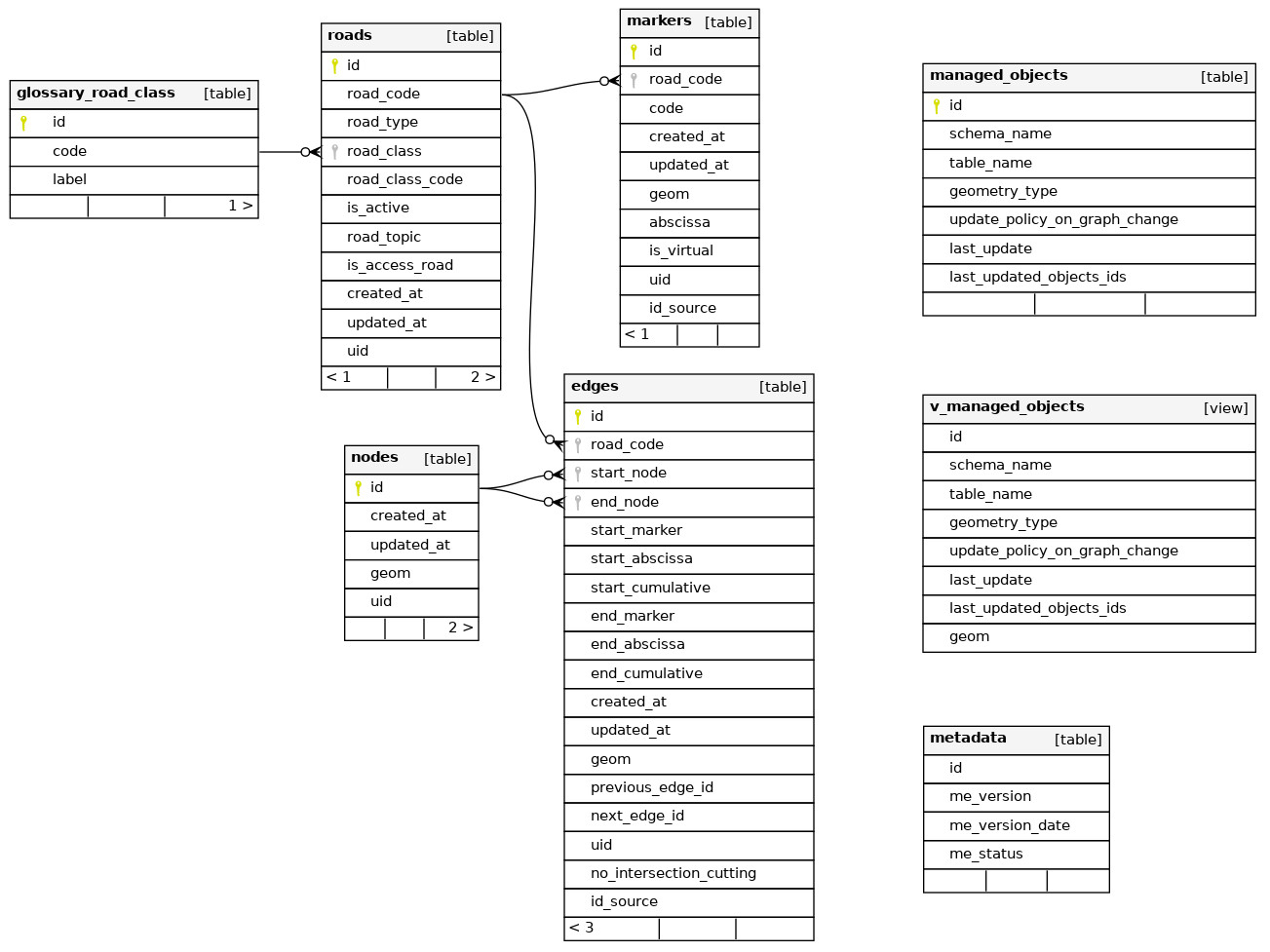
See Tables and fields for the description of the fields of the tables, and the Database structure documentation for a complete description of the tables and functions.
Administration tools#
The plugin provides QGIS Processing algorithms which allow to:
- create the database structure with all the tables, functions, etc.:
Create database structure, - upgrade the structure automatically when upgrading the plugin:
Upgrade database structure, - create a QGIS administration project with all the layers, styles, labels, actions, etc.:
Create database local interface, - import data from template edges and markers tables:
Import data from template.
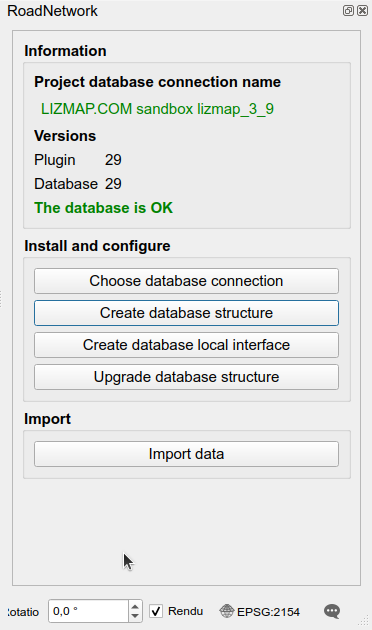
These algorithms, described in Processing algorithms, are available in the QGIS Processing toolbox and in the RoadNetwork administration panel, which also shows the database connection used by the project and checks that the plugin and database versions match.